
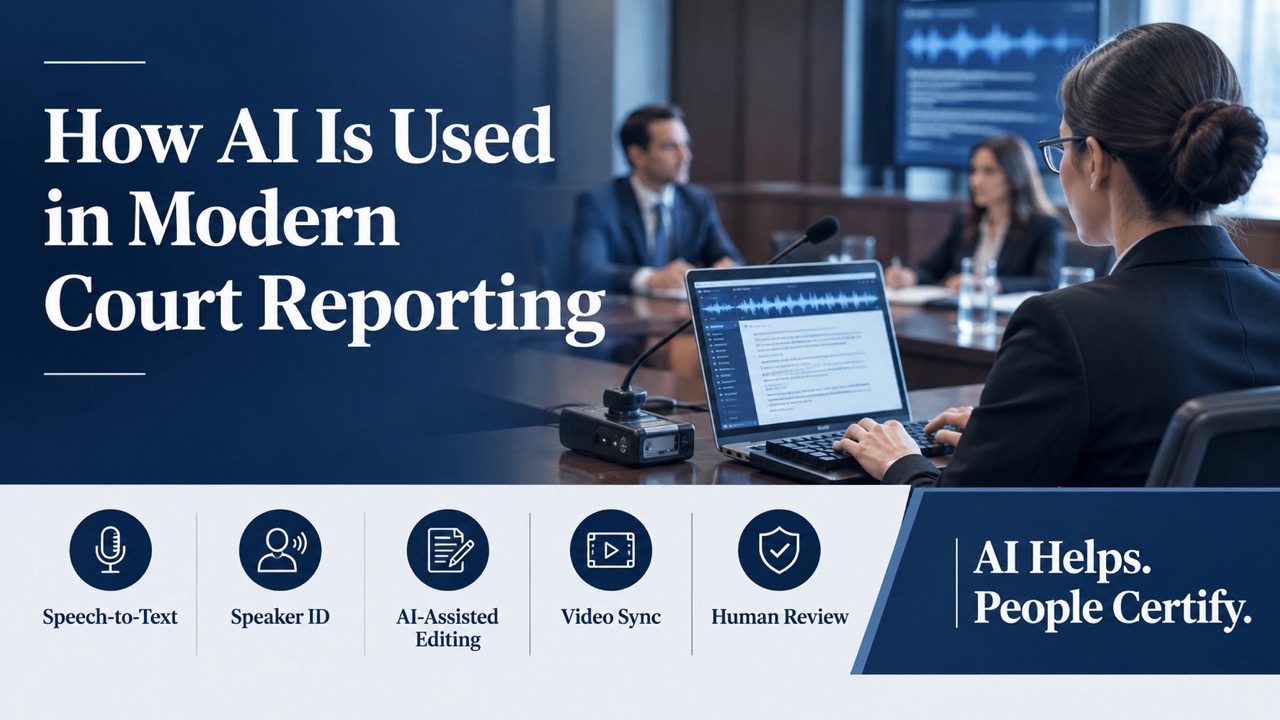
How AI Is Used in Modern Court Reporting
Artificial intelligence now sits inside many court reporting workflows. It drafts text, labels speakers, and links video to transcripts. Yet the official record carries legal weight, and mistakes can shape case outcomes. That tension defines AI court reporting today. Attorneys want speed and lower costs. Courts and ethics bodies want accuracy, security, and accountability. This guide explains the AI tools reporting firms use, where each one helps, and where human judgment still matters. You will also learn the rules and questions to weigh before you trust AI with a deposition. CourtScribes builds its court reporting services around speech-to-text technology and AI-powered tools.
AI Assists the Record, People Certify It
AI works best as an assistant, not the author of the record. Under Federal Rule of Civil Procedure 30(f), the officer must certify that the witness was sworn. The officer must also certify that the deposition accurately records the testimony. Software cannot take on that responsibility. Many states also license court reporters and regulate who may produce an official transcript. In February 2026, the National Court Reporters Association adopted a position statement on AI and speech recognition. It called these tools helpful supplements but not a substitute for a trained, certified reporter. Strong AI court reporting pairs automation with a certified court reporter who reviews, corrects, and signs the final transcript.
The AI Tools Behind Modern Court Reporting
AI does not arrive as one product. It shows up as a set of tools, each handling a specific task. Some work live during the proceeding. Others speed up editing, delivery, and review after testimony ends. Knowing what each tool does helps you judge the value of AI court reporting for your case. Here are the AI tools most common in modern reporting workflows.
Automatic Speech Recognition
Automatic speech recognition, or ASR, converts spoken words into text. Modern systems use machine learning models trained on huge audio libraries. In court reporting, ASR can produce a fast working draft from a high-quality recording. Editors then compare that draft against the audio. ASR performs best with clear audio, one speaker at a time, and common vocabulary. It struggles with crosstalk, heavy accents, and rare terms. A 2020 Stanford study in PNAS tested five commercial ASR systems. Average word error rates reached 35% for Black speakers, compared with 19% for white speakers. Careful human review helps catch those errors.
Speaker Identification
A transcript needs more than words. It must show who said each line. AI speaker identification, often called diarization, separates voices and labels each segment. Multi-channel audio improves results because each microphone captures one participant more clearly. This tool helps in depositions with several attorneys, interpreters, or remote participants. Still, similar voices and overlapping speech can confuse the software. A mislabeled answer can change the meaning of testimony. Reporters confirm speaker labels against their notes and the recording. Clear introductions on the record also help, with each participant stating their name and role at the start.
AI-Assisted Editing and Rough Drafts
Editing often takes more time than capture. AI tools can flag words the software heard with low confidence. Editors jump straight to those spots instead of rereading every page. Some tools also suggest spellings from case word lists and earlier transcripts. This speeds up rough drafts and expedited delivery. Rough drafts help attorneys prepare for the next witness. They are not certified, so attorneys should not cite them as the official record. Transcript errors can create serious problems later in a case. That is why final editing and proofreading stay in human hands before certification.
Video-to-Text Synchronization
Synchronization software uses timestamps to link each transcript line to the matching moment in a video. Attorneys click a line, and the footage jumps to that answer. Some systems use speech recognition to align text and video automatically. Editors then check the alignment before delivery. CourtScribes offers video-to-text synchronization for depositions, trials, and hearings. Synced files speed up deposition review, impeachment prep, and trial clip building. Teams can search a keyword and watch the delivery in seconds. That beats scrubbing through hours of footage. Experts and co-counsel can also review testimony without reading every page first.
Remote Proceeding Audio Tools
Remote depositions rely on AI features built into video platforms. Noise suppression filters out keyboard taps and background sounds. Echo cancellation reduces feedback when participants use speakers. Some platforms also generate live captions. These features improve audio quality, which helps reporters and recognition software alike. They can also cause trouble. Aggressive noise filters sometimes clip soft words or the start of an answer. Reporters monitor audio and ask for repeats when something drops out. CourtScribes supports remote depositions for parties in different locations. Test platform audio settings with the reporter before the session begins.
Where AI Court Reporting Still Needs a Human
AI handles routine speech well. Legal proceedings are rarely routine. Witnesses mumble, attorneys interrupt, and experts use terms most software has never heard. Speech-to-text models can also produce words nobody said. A 2024 study presented at the ACM FAccT conference documented invented text in AI speech transcriptions. In legal settings, these gaps call for trained human judgment. Watch for these weak spots:
- Crosstalk. Software often merges or drops overlapping speech.
- Accents and dialects. Error rates rise for speech patterns underrepresented in training data.
- Legal and technical terms. Case names, drug names, and jargon need careful verification.
- Proper names. Witnesses, places, and companies often come out misspelled.
- Hallucinations. Some models insert phrases that never appear in the audio.
- Off-the-record moments. A person must judge what belongs on the record.
- Certification. Only an authorized officer can certify the transcript.
The Legal and Ethical Guardrails
Lawyers who use AI tools carry their own duties. In July 2024, the American Bar Association issued Formal Opinion 512 on generative AI. It ties AI use to existing duties of competence, confidentiality, supervision, and candor to the court. Lawyers must review AI output to an appropriate degree before relying on it. They must also protect client information entered into AI systems. Lawmakers are paying attention as well. In March 2026, members of Congress introduced the Research and Oversight of AI in Courts Act of 2026. The bill would create a task force to study AI and speech recognition in courts. State rules on recording and licensing vary, so ask how your provider meets local requirements.
Questions to Ask Before Choosing AI Court Reporting
Not every AI-powered service works the same way. Some use AI as a support tool under a certified reporter. Others lean heavily on automation with little review. The difference affects accuracy, admissibility, and confidentiality. A few direct questions reveal how a provider handles your record. Ask these before you schedule your next deposition or hearing:
- Who certifies the transcript? Confirm a qualified officer reviews and signs the final record.
- How is audio captured? Multi-channel recording helps both people and software.
- What does human review include? Ask whether editors check each page against the audio.
- Where is data stored? Learn how files are protected and who can access them.
- Does the vendor train AI on your files? Client material should not feed outside models without consent.
- How are rough drafts labeled? Uncertified drafts should carry a clear marking.
- Does the process follow local rules? Ask about licensing and recording rules in your jurisdiction.
Get the Speed of AI With CourtScribes
So, how is AI used in modern court reporting? It drafts text, labels speakers, flags likely errors, syncs video, and cleans up remote audio. Used well, it speeds delivery and makes testimony easier to search. Used carelessly, it can damage the record. The best results come from AI court reporting backed by trained professionals. CourtScribes combines speech-to-text technology and AI-powered court reporting with secure 24/7 access to your transcripts and exhibits. Call 833-SCRIBES (727-4237) or schedule your next proceeding today. Our team will help you choose the right mix of technology and human expertise for your case.
 Toll-Free: 833-SCRIBES
 scheduling@courtscribes.com
billing@courtscribes.com