
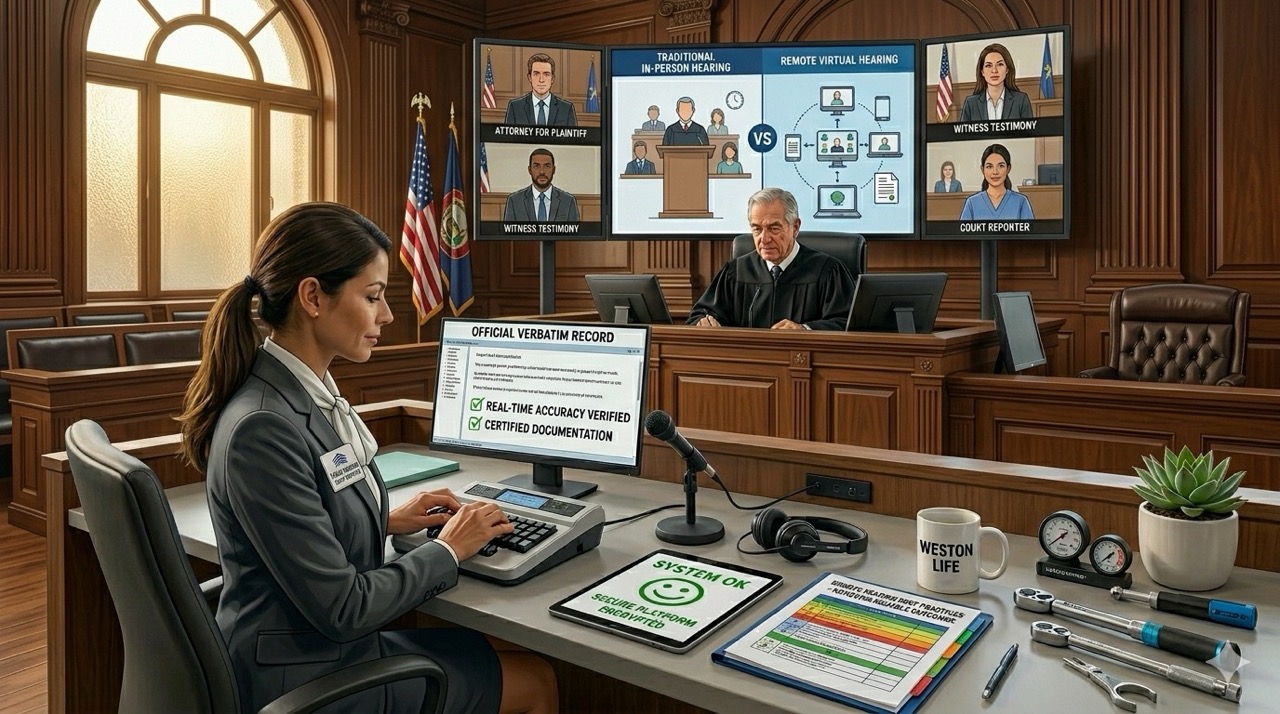
Top Challenges of Remote Hearings and How to Overcome Them
Remote hearings have become standard practice in modern legal proceedings across all jurisdictions. Virtual proceedings offer convenience and flexibility that traditional courtroom appearances cannot match. However, remote hearing challenges introduce unique obstacles affecting communication, accuracy, security, and outcomes.
Technical problems disrupt testimony while security vulnerabilities expose confidential information unexpectedly. Coordination difficulties create logistical nightmares when attorneys work across multiple time zones. Moreover, documentation quality suffers when professionals lack proper equipment and technical support during proceedings.
This blog explores remote hearing challenges and proven strategies that overcome them effectively. Let’s examine these obstacles and practical solutions.
Unstable Internet Connections and Technical Failures
Audio dropouts cut testimony mid-sentence leaving gaps in official records. Frozen video feeds disconnect participants who cannot rejoin proceedings immediately. Delayed communication causes confusion about testimony and creates dangerous misunderstandings about statements.
Connection instability represents the most common remote hearing challenge affecting proceedings. A single internet failure can compromise entire deposition documentation and case strategy. Attorneys cannot rely on unstable connections when high stakes demand flawless documentation.
How to Overcome Technical Problems
Conduct pre-hearing technology tests to identify problems before testimony begins. Use reliable internet connections from secure locations rather than public WiFi networks. Prepare backup devices and hotspots that enable immediate reconnection if primary systems fail.
Professional providers offer technical support that monitors connection quality throughout proceedings. Real-time intervention prevents data loss when connectivity problems emerge suddenly.
Poor Audio Quality and Communication Difficulties
Accurate testimony depends on hearing every word without distortion or dropout interruptions. Effective attorney-client communication breaks down when audio quality deteriorates during proceedings. Reliable record creation requires pristine audio that transcription systems can process accurately.
Background noise, echo, and volume fluctuations destroy audio quality that testimony requires. Parties cannot understand opposing arguments when audio clarity fails during critical moments. Courts reject testimony records with compromised audio that affects admissibility and reliability.
Solutions for Better Audio Quality
Use professional microphones and headsets rather than device built-in speakers. Minimize background noise by securing quiet locations away from distracting sounds. Perform sound checks before the hearing to verify audio levels and clarity. Professional audio equipment transforms remote proceeding quality dramatically. Quality audio prevents transcription errors that plague inadequate setups.
Challenges in Managing Witness Testimony Remotely
Coaching concerns arise when witnesses appear in unmonitored home environments during depositions. Off-camera distractions pull witness attention away from testimony causing poor presentation. Difficulty monitoring surroundings prevents verification that witnesses testify from appropriate locations.
Witnesses may lack professionalism when virtual proceedings feel less formal than courtrooms. Hidden individuals can coach witnesses during testimony undetected in remote environments. These issues undermine case credibility and create grounds for opposing counsel challenges.
Best Practices for Witness Management
Establish clear hearing protocols that define expectations for witness behavior and appearance. Require appropriate camera positioning that shows witness from shoulders up during testimony. Verify witness identity and environment before proceedings begin to prevent fraud. Professional protocols maintain witness credibility despite virtual testimony conditions. Documented procedures protect against later challenges regarding witness testimony authenticity.
Difficulty Presenting and Reviewing Exhibits
Delays accessing documents frustrate attorneys when exhibit organization fails before proceedings. Display issues create confusion about which document parties reference during testimony. Participant confusion arises from simultaneous exhibit sharing across multiple screens and platforms.
Disorganized exhibits waste valuable proceeding time while participants search for correct documents. Multiple versions of exhibits create confusion about which version parties actually reviewed. Exhibit management failures damage case presentation and weaken legal arguments.
How to Streamline Exhibit Management
Organize exhibits in advance through logical numbering and clear labeling systems. Use secure digital exhibit platforms that all participants access from single location. Share materials before proceedings begin so witnesses and attorneys review exhibits beforehand.
Professional exhibit management accelerates proceedings while preventing confusion and delays. Strategic organization strengthens case presentation through clear evidence presentation.
Security and Confidentiality Risks
Unauthorized access occurs when participants share links with outside parties without permission. Data breaches expose confidential case materials to competitors or opposing counsel. Recording concerns arise when unauthorized individuals capture testimony for improper use.
Remote hearing challenges include vulnerability to cyber attacks targeting legal proceedings. Unsecured platforms transmit confidential information without encryption protection. Hackers exploit weak security to access witness information or privileged communications.
Strategies to Improve Security
Use secure virtual hearing platforms with enterprise-grade encryption and authentication. Enable password protection that limits access to authorized participants only. Limit participant permissions through role-based access controls preventing unauthorized actions.
Professional security infrastructure protects confidential case materials throughout proceedings. Encrypted systems prevent unauthorized recording and information disclosure effectively.
Maintaining Professionalism in a Virtual Environment
Inappropriate backgrounds distract from testimony and undermine professional presentation. Interruptions from family members or pets damage case credibility and attorney reputation. Informal behavior including multitasking suggests disrespect for proceedings and participants.
Virtual settings reduce formality that courtrooms enforce through physical environment. Participants may dress casually or behave informally forgetting that testimony impacts case outcomes. Professionalism lapses create negative jury impressions when virtual testimony becomes evidence.
How Legal Teams Can Maintain Professional Standards
Follow courtroom etiquette even though proceedings occur in virtual environments. Use professional settings and attire that command respect during remote appearances. Establish participation guidelines prohibiting interruptions, side conversations, and distracting activities. Professional conduct strengthens case credibility despite virtual testimony format. Attorneys who maintain courtroom standards project competence and authority.
Creating an Accurate Record of Proceedings
Appeals and case review depend on complete transcripts capturing exact testimony. Legal compliance requires certified documentation that meets court standards for admissibility. Reliable evidence preservation protects case interests through official records that courts accept.
Inaccurate documentation undermines appeals and prevents effective case review. Missing testimony sections create gaps that opposing counsel exploit in later proceedings. Courts reject proceeding records that lack proper certification and professional documentation.
How Professional Court Reporting Helps
Verbatim transcripts capture exact testimony without interpretation or summarization. Real-time documentation enables attorneys to reference statements immediately during proceedings. Enhanced accuracy through technology ensures transcripts meet legal standards for admissibility.
Professional court reporting transforms remote proceedings into officially documented cases. Certified documentation prevents admissibility challenges that compromise case outcomes.
Scheduling and Participant Coordination Issues
Multiple participants in different locations create scheduling nightmares across time zones. Time zone conflicts make finding convenient meeting times extremely difficult. Last-minute technical issues force rescheduling that disrupts case timelines.
Coordination failures prevent necessary participants from attending scheduled proceedings. Conflicting schedules delay testimony that impacts litigation progress significantly. Logistical problems multiply when attorneys work across multiple jurisdictions.
Ways to Improve Coordination
Confirm attendance early through direct participant communication and reminder systems. Distribute meeting details in advance including time zones and access instructions. Use dedicated scheduling tools that coordinate across multiple calendars and locations. Professional coordination prevents scheduling disasters that delay critical proceedings. Early confirmation enables last-minute contingency planning.
Participant Engagement and Attention Challenges
Reduced focus occurs after extended screen time during lengthy virtual proceedings. Longer screen time causes eye strain and mental fatigue that diminishes attention. Missed information happens when participants lose focus during critical testimony.
Virtual proceedings create mental fatigue that in-person testimony does not trigger. Participants struggle to maintain attention during extended remote sessions. Fatigue-related mistakes damage case preparation and testimony quality.
How to Keep Participants Engaged
Schedule breaks that allow participants to rest and refocus between sessions. Keep proceedings organized with clear agendas and time management. Use clear communication protocols that minimize confusion and maximize engagement.
Strategic breaks improve participant focus and proceeding effectiveness. Organized proceedings prevent attention lapses that compromise testimony quality.
Technology Learning Curves for Participants
Platform navigation issues frustrate participants unfamiliar with virtual hearing software. User errors create embarrassing moments that undermine credibility. Limited technical knowledge prevents participants from using platform features effectively.
Technology barriers prevent full participation when users lack necessary skills. Platform complexity frustrates non-technical participants who struggle with basic functions. These difficulties damage professionalism and case presentation.
Practical Ways to Improve Readiness
Offer pre-hearing training that teaches participants essential platform functions. Provide technical instructions through written guides and video demonstrations. Conduct practice sessions that build confidence before actual proceedings.
Preparation prevents technology issues that disrupt proceedings and damage credibility. Trained participants use platforms effectively maximizing proceeding efficiency.
How Professional Litigation Support Improves Remote Hearings
Remote hearings rely on more than video conferencing software. Professional litigation support helps ensure proceedings run smoothly, records remain accurate, and participants stay connected. With the right support team, legal professionals can reduce disruptions and focus on the case.
Key services that help improve the efficiency and reliability of remote hearings include:
- Court Reporting Services: Professional court reporters create an accurate verbatim record of the proceeding, helping preserve testimony and support future case review.
- Legal Videography: High-quality video recordings capture witness testimony, visual evidence, and nonverbal communication that may be important during litigation.
- Remote Hearing Management: Dedicated coordinators help schedule proceedings, manage participants, and ensure technology functions properly throughout the hearing.
- Secure Transcript and Exhibit Access: Digital platforms provide convenient access to transcripts, recordings, and exhibits while maintaining confidentiality and organization.
- Technical Support for Participants: Real-time technical assistance helps resolve connection, audio, and platform issues quickly, minimizing delays and interruptions.
Transform Remote Hearing Challenges Into Advantages
Remote hearings work effectively when legal professionals proactively address technical and security obstacles. Proper planning prevents common problems that compromise case outcomes. Professional support and reliable technology create proceedings that rival in-person testimony quality.
CourtScribes delivers remote hearing solutions that overcome every documented challenge. Contact us today to eliminate remote hearing challenges from your virtual proceedings.
📞 Toll-Free: 833-SCRIBES
📧 scheduling@courtscribes.com
📧 billing@courtscribes.com